Creating an online checklist

Back to: Design an effective induction program
Learners can learn to create lessons and add quizzes in their courses in the micro-lesson here.
Orientation and/or induction checklists can be very useful tools to assess the efficiency of the program, and how much the new staff has learnt. Once you have created a quiz, you can start editing it and turn them into online checklists like this:
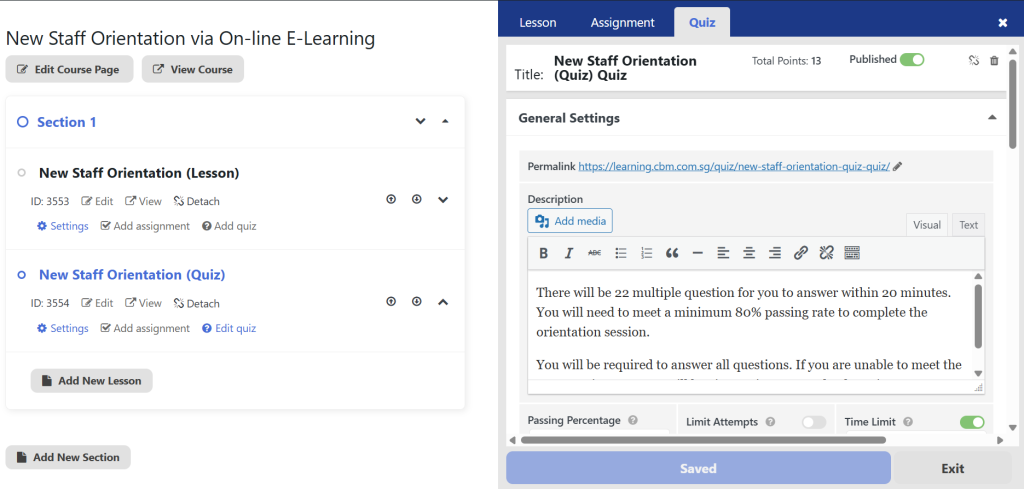
Note the following details :
The online checklist can be renamed by selecting “Lesson” tab, and clicking on the “Title”.
The online checklist can be accessed anytime using the “Permalink” URL. You can copy and save the link to share it with your learners.
You can add multiple online checklists in the same lesson for pre and post feedback sessions, as well as observation checklists.
You can mix other E Learning modules like SOP training, red teaming exercises and fire drills as lessons under the same course.
Let us start editing the online checklist now!
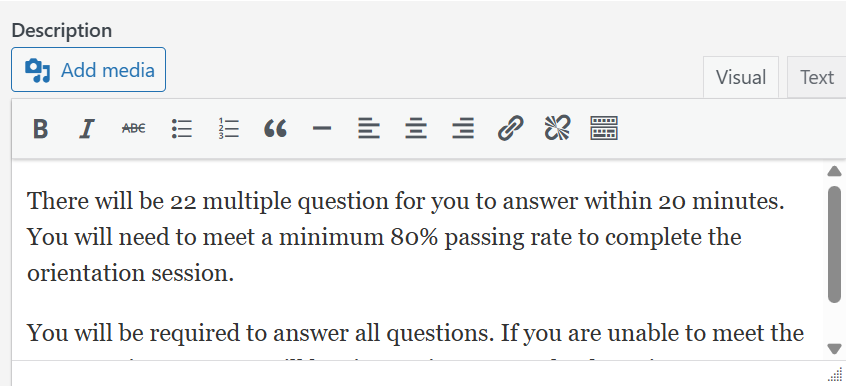
Start by giving your checklist a description. It should include details like how long it may take to complete the checklist, the number of questions, the requirements, the jobsite and the trainer’s names.
Once you are done with the description, you can scroll down to access the options as follows:
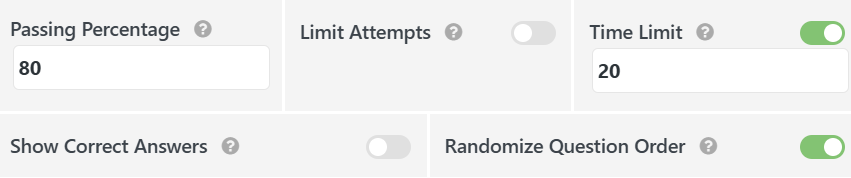
The Passing Percentage should be “0”.
Limit Attempts should be off
Time Limit should be off.
Show correct answers should be off.
Randomize Question Order should be off.
Now you can scroll down and click on “Add Question” to start making your online checklist!

Most questions on your checklist are checked using “True or False”. Let us use that for now.
You can type in the question for checking, for example,
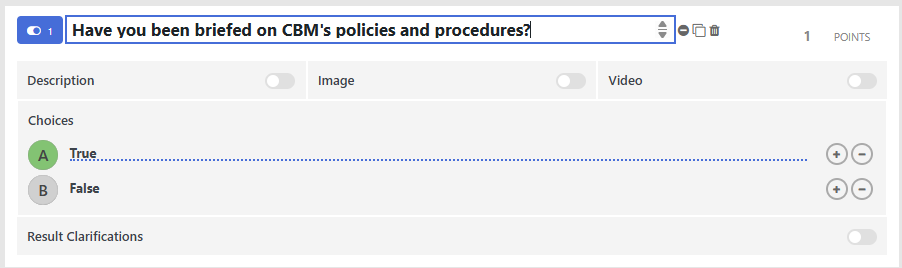
You can add description, images or even videos for various verification purposes.
Once you are done, you can click on “Add Question” at the bottom for the next item on your Online Checklist.
Note you can always go back and edit your checklists in the lesson, or even clone the checklist for use on other jobsites.
Once you are done, ensure your work is saved and feel free to share your online checklist using the permalink URL on mobile devices.